Announcements
No announcements yet
Upcoming Features
Add WhalePool Account
The API Key is needed for MinerBox account configuration and setup.
For simplifiying address insertion and transfer the QR codes mechanizm is implemented.
The steps for adding account are:
1. Open your account WEB 
and activate API Key menu
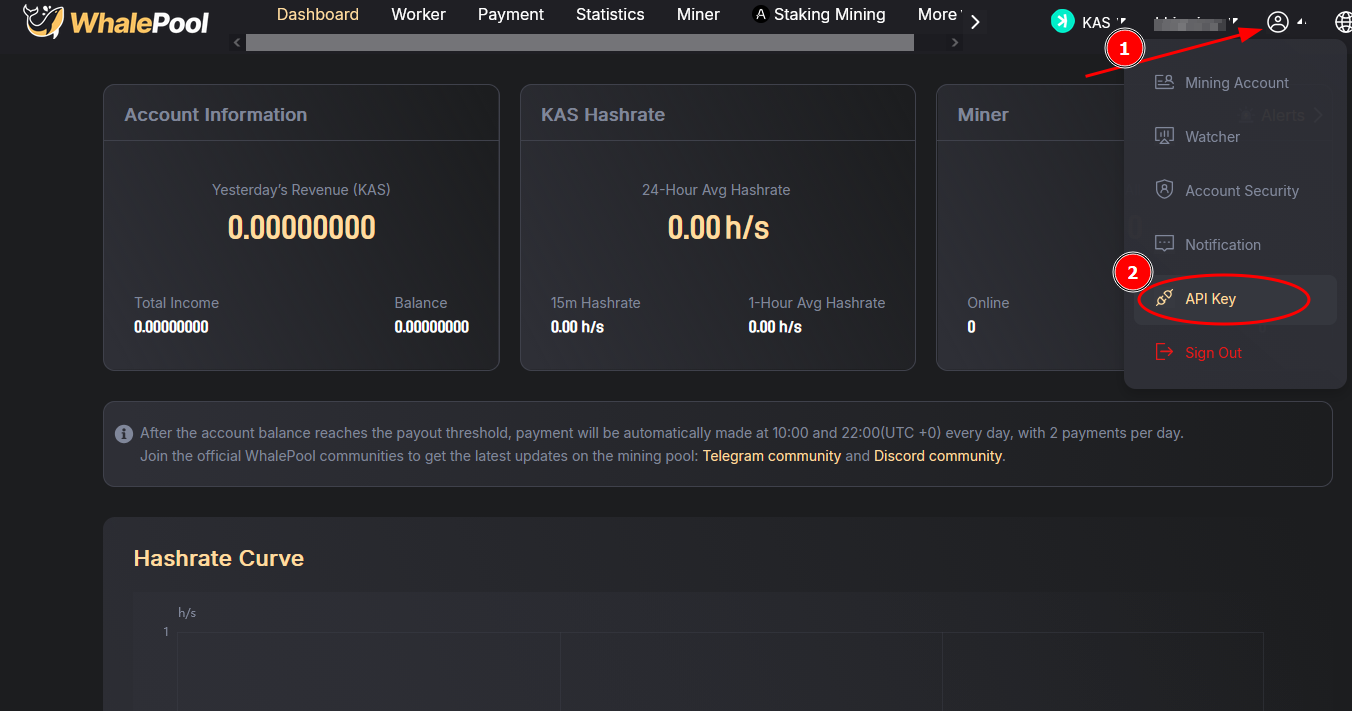
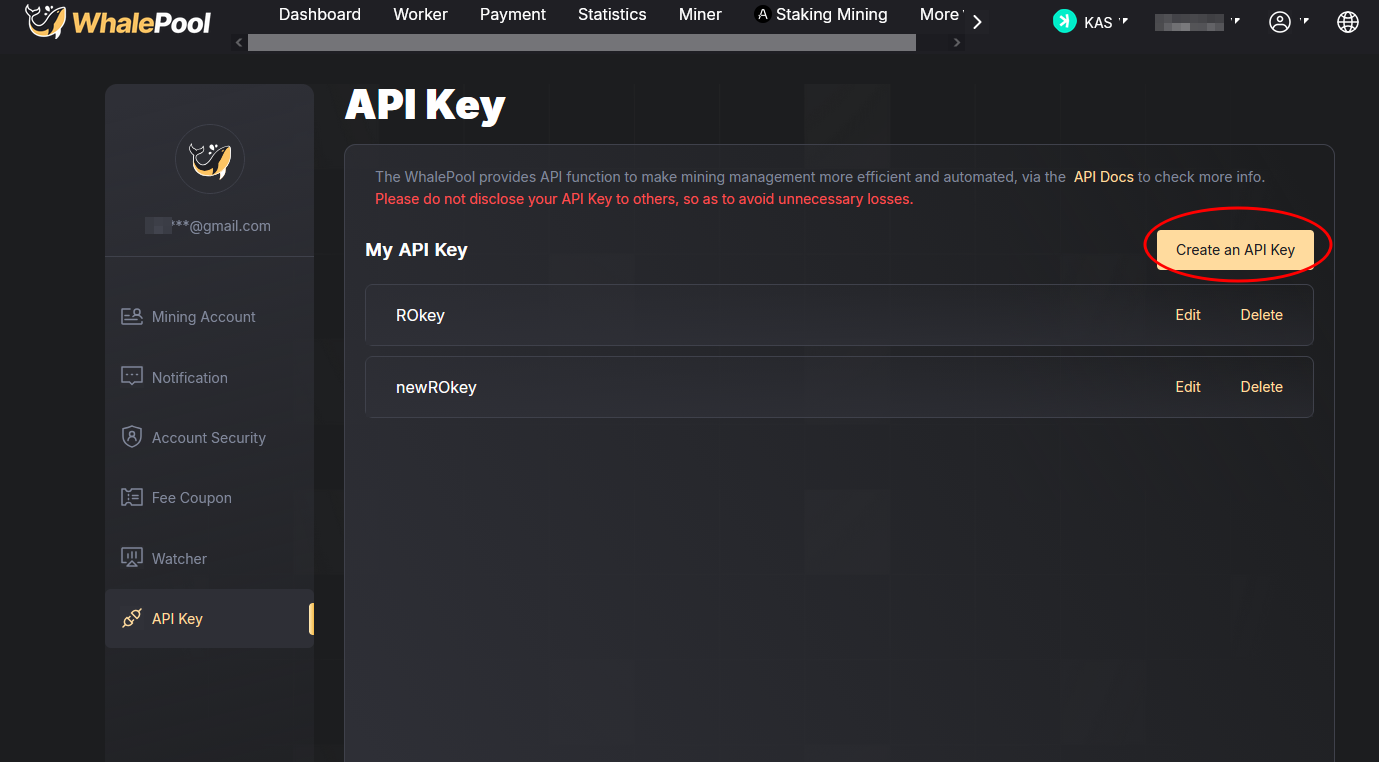
2. Create API key.
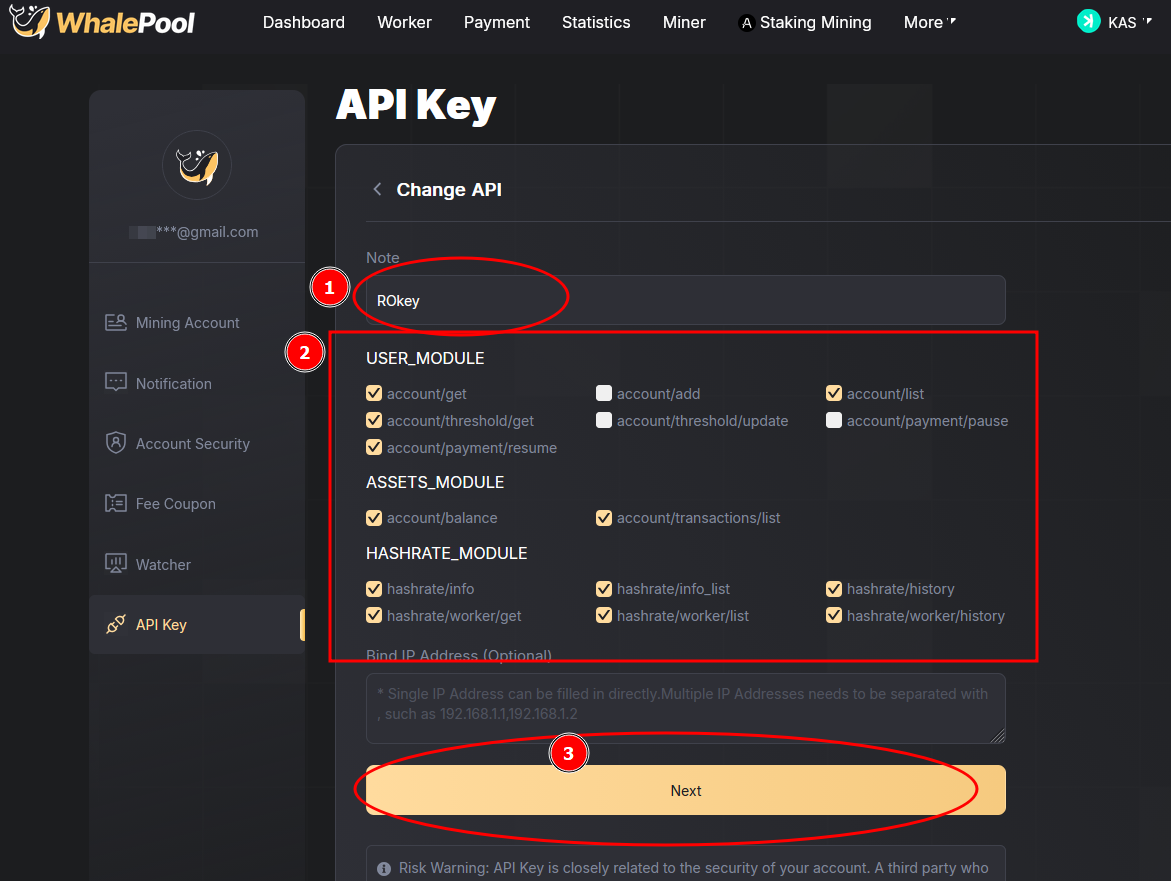
3. Set appropriate access for API requests
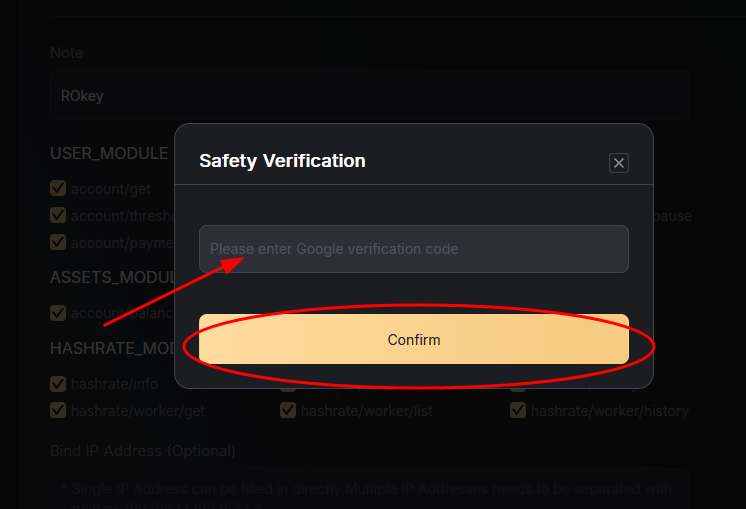
4. Confirm the setup
5. Copy appropriate API Token value and finish creation.
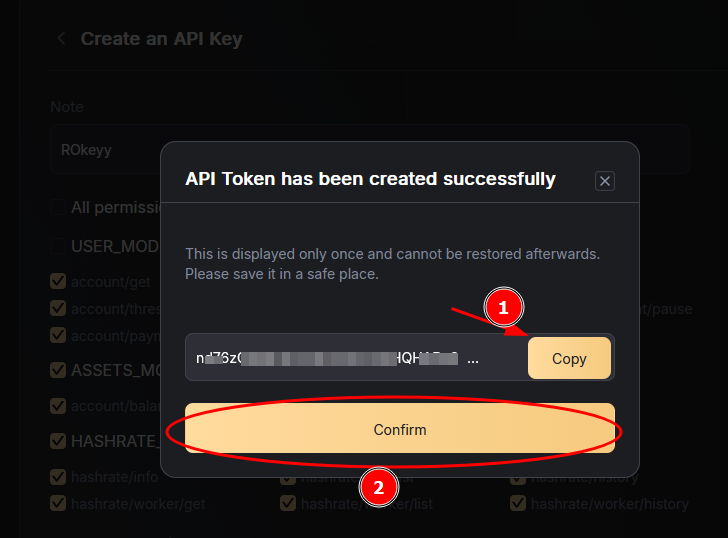
6. Paste in any online QR generators (this step is optional, applicable if account address should be copied from other device/desktop PC)
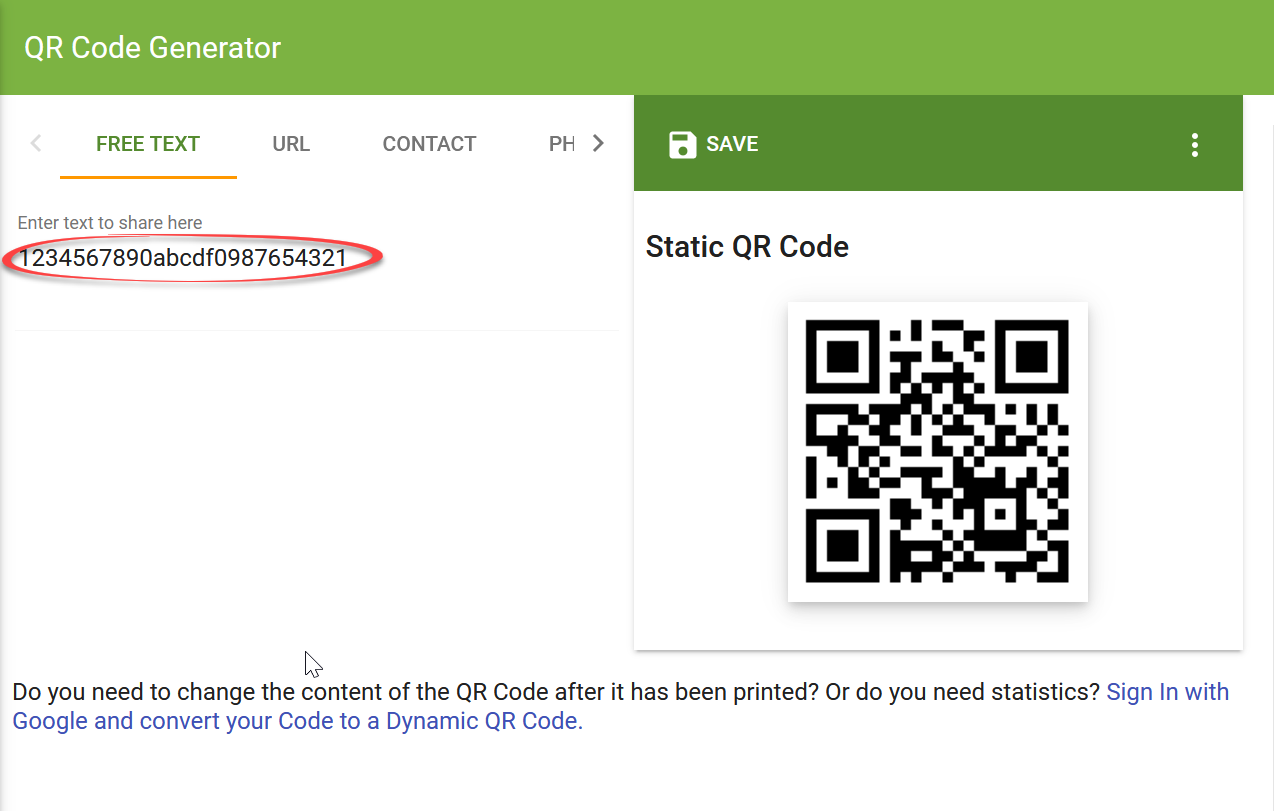
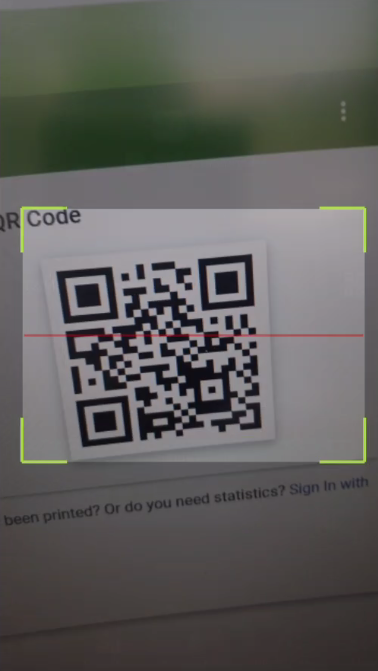
7. Select Pool and appropriate coin/algorithm in MinerBox app and click on QR reader (or just paste copied string if you are on same device)
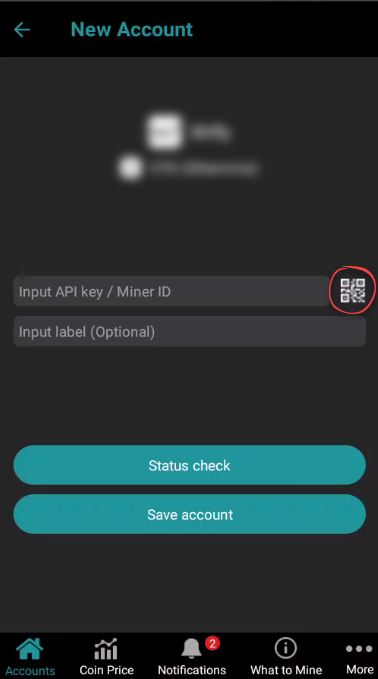
5. Press "Status check" button and if it's colored green then all is OK. Red colored button mean issue with address or account data and the account can't be added.
6. Press "Save account" and track account.